¶ Support
Need help with your ImmoTrack tracker or the tracking platform? You're in the right place. For immediate assistance, contact us at [email protected].
New here? Visit our Welcome page for getting started, install guides, and subscription setup.
¶ Guides
Installation
Using the platform
- Getting Started
- How often does the tracker update its location?
- Using the Immobilizer
- Configuring Geofences
- Configuring Notifications and Alarms
- Sharing access to a Device
- Understanding Device Status
- Understanding Safe Engine Cut-Off
¶ Get the Mobile App!
The mobile app is used to access the portal and monitor your tracked vehicles, or receive Alerts and Notifications in the app.


¶ Manage your subscription
To make sure your tracking stays active when your included period ends, you can set up or manage your subscription anytime through the subscription portal.
¶ Password Reset
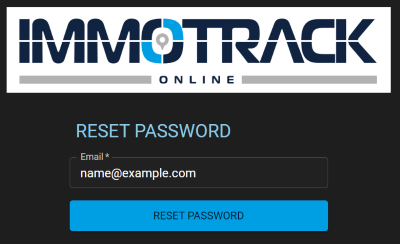
To Reset your password for access to the Tracking portal, you can click the "Reset Password" link on the login page.
You will be asked to enter your Email address that matches your user name. Enter this and then click the "RESET PASSWORD" button.
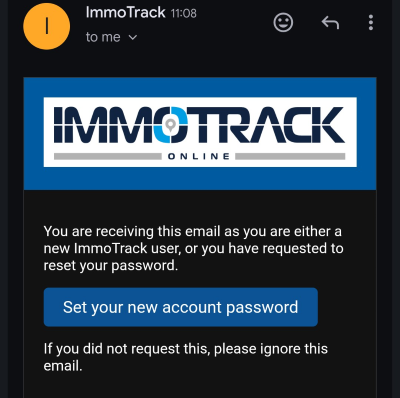
You will receive an Email which asks you to click a link to reset your password:
When you click this link, you will be asked to enter a new password, and then click the "RESET PASSWORD" button.
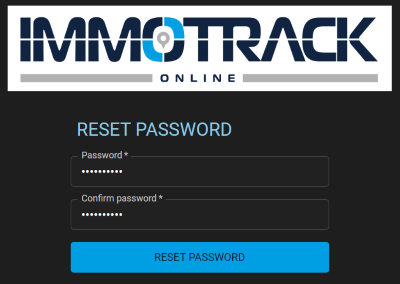
You will then be taken back to the login page and can immediately use your new password.
We recommend you use a Password manager to generate and store your passwords securely. Please don't use the same password that you may be using for critical services like banking or your government identity.
You should also enable Two Factor Authentication (2FA) for your account as per our 2FA instructions video.