¶ Vehicle Sharing
With ImmoTrack Online, you can share access to view the location of a Vehicle with anybody, without them needing a user account to login to our Web Portal. This generates a URL which you can share with any 3rd party. All they need to do is paste the URL (link) into a web browser, and they will be immediately taken to the map and be able to see your Vehicle.
The URLs do not need a login to be used and will automatically authenticate into the portal. They provide read-only access to the Vehicle you have shared and have an Expiration date after which they no longer work.
Vehicle sharing is a great tool for providing Law Enforcement with the real time position of your vehicle. Access to this data for the police may increase the likelihood of response, especially if you can prove the vehicle is being driven at high speed.
¶ What can they see or do?
Summary: They can only see where the vehicle is, nothing more.
When sharing a Vehicle, the 3rd party can see the status and location of the Vehicle and all of its Attributes (immobiliser status, ignition status, speed, etc). They cannot look at the Vehicle history (replay), they cannot generate any reports, and they cannot send any commands.
Once the Expiration date kicks in, the access will be removed and any attempts to use the URL will no longer work.
¶ Sharing a Vehicle
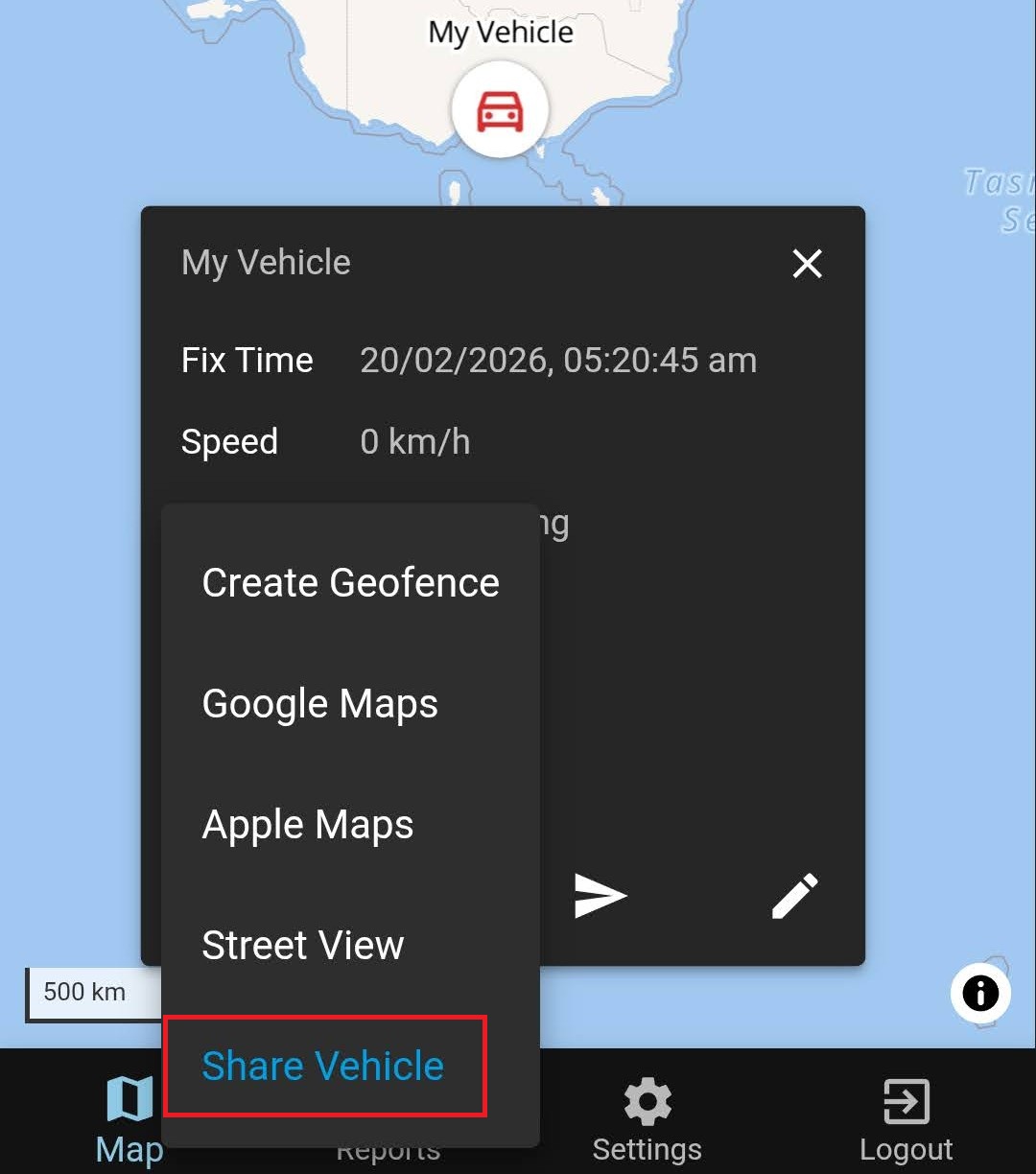
To share access to a Vehicle - for example, to a friend or perhaps to the police - you can use the “Share Vehicle" option available in the Vehicle Popup.
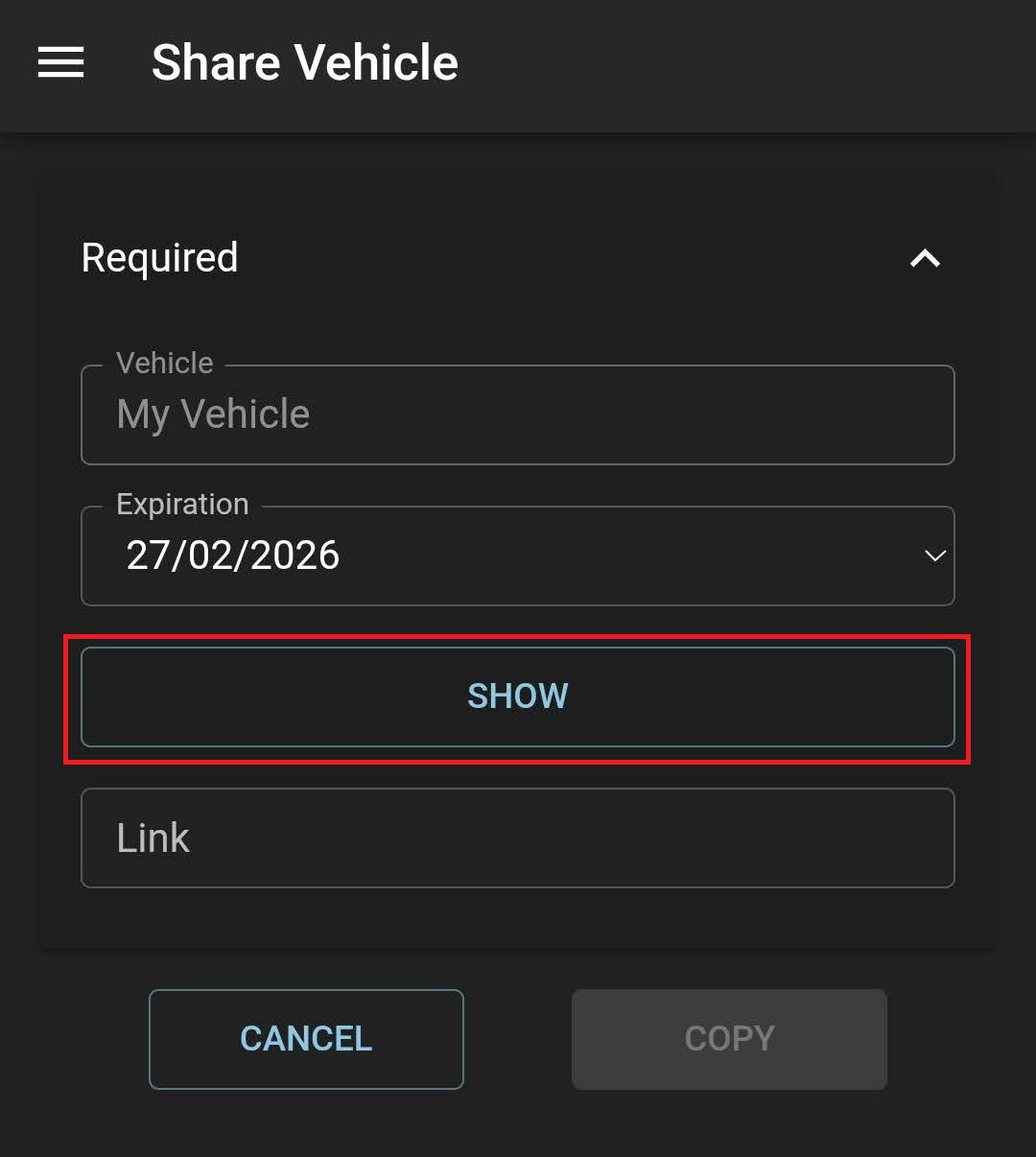
Once you have clicked on “Share Vehicle”, you can set the Expiration date for the access to the Vehicle, and you must click the “Show” button to generate the URL for you to share.
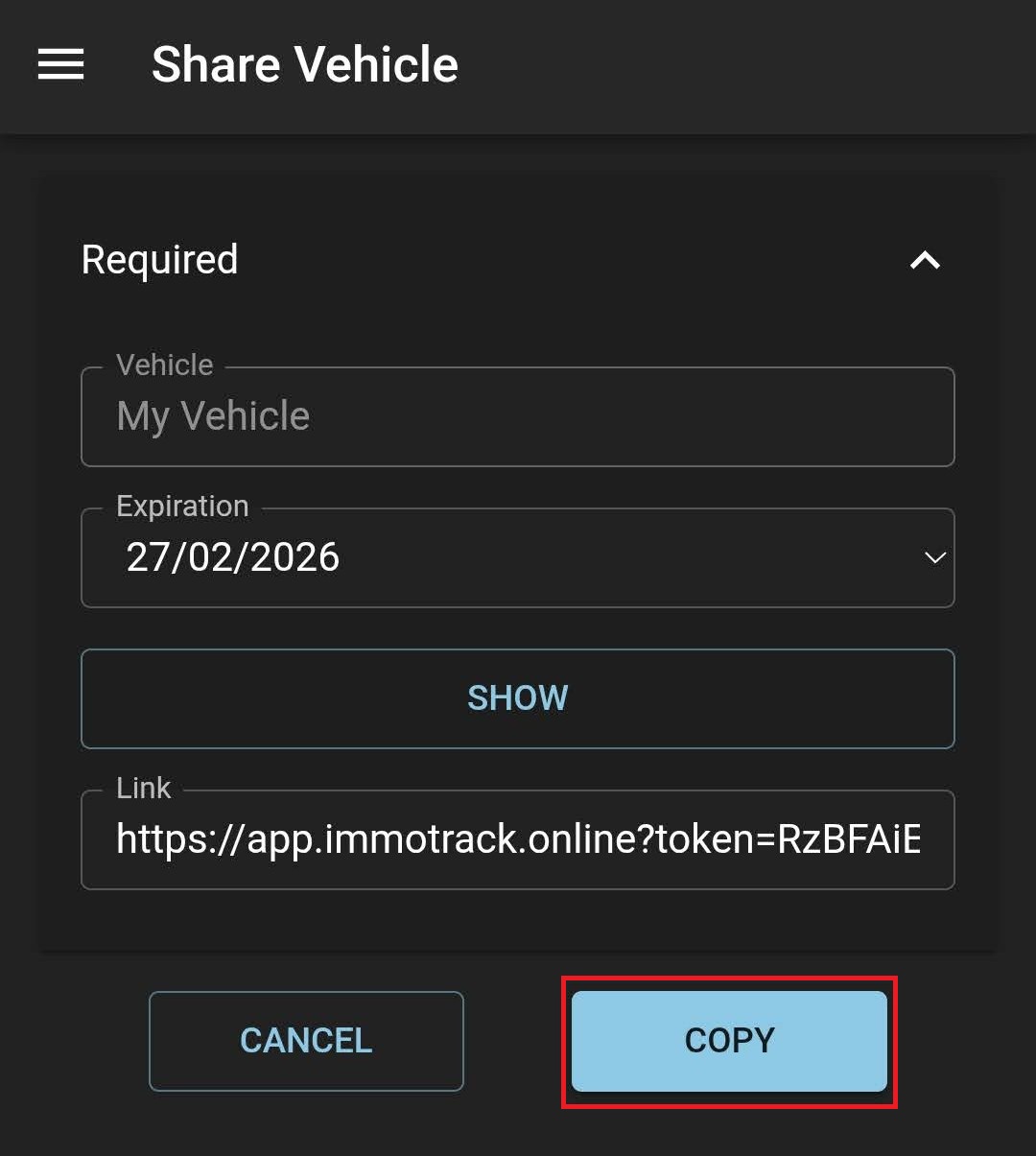
After clicking on the “Show” button, it will generate the URL (Link) for you to share. You then click on the “Copy” button, and it will copy the URL to the clipboard, so you can then paste the link elsewhere, such as an Email or messaging app.